
The SRD SASSA application status is a handy facility provided by SASSA for all, including new applicants and beneficiaries, to check application status and grant dates.
You’re either a beneficiary of SASSA or a new applicant who has just applied for a grant. can check your status online using this tool by just entering the required details in the tool.
This isn’t the only option you have; there are several other ways you can use to see your grant status, as you can now check even using SASSA’s official WhatsApp chat and USSD, which were recently introduced by SASSA.
So it’s important for you to keep an eye on the SASSA payment status check to stay updated on the matter.
What Is the SRD R370 Grant and Who Qualifies?
The grant originally introduced during the COVID-19 crisis to facilitate only South African citizens who are unemployed was initially named R350, but later, due to increments now known as R370.
At its launch stage, it was only promised by SASSA to be valid for a limited period of time, but later the South African government and SASSA decided to extend this further, now even after COVID, if you meet the criteria, you’re eligible to have this grant, as this grant sis till valid in the year 2026.
Eligibility Criteria for SRD R370 Grant 2026
A South African citizen must comply with the following things in order to get a successful approval for the SRD R370 grant and receive payments under it.
One must be a legal resident of South Africa, which includes a South African national, a legally permanent resident, an asylum seeker, or a special residency permit holder from Lesotho, Zimbabwe, or Angola. The rest of the requirements are as follows.
- The applicant’s age should be between 18 and 59.
- If the applicant is under 18 or above 59, then this isn’t for you; you can check the Child Support Grant or Old Age Grant offered by SASSA.
- The person should not be taking any other financial benefits from SASSA or other organizations like NSFAS or UIF.
- A person with an income above the SASSA Means Test will also not be able to have this.
keep in note that eligibility criter is a mandatory thing in order to get approval for a grant, without this your SASSA status will show unapproved grant.
SRD Grant Monthly Means Test (R624 Limit Explained)
SASSA, for the safety of its treasury reserves the right to carry out monthly verification checks on beneficiaries through intelligent means, it is to check whether the applicant is still eligible for the grant.
As for now, the monthly income threshold to comply with the SASSA Means Test is R624 per month; exceeding this limit can halt grant payments.
This works something like this:
SASSA takes monthly bank verification checks to see whether the income is exceeding the threshold limit in the beneficiary’s account, if any deposits through means like EFT, Wages, or Transfer is detected crossing the limit, the applicants can be declined.
Please note that these checkups by SASSA are usually on a monthly basis.
How to Apply for the SASSA R370 Grant in 2026
To apply for SRD R370 or any other SASSA grant, you have to follow the SASSA online application, which is easy and a very time-saving facility provided by SASSA.
Following is the step-by-step guide on this, but if you’re interested in knowing more about this, you can follow the link for the application I’ve provided.
Step-by-Step Application Process
- Visit the official site of SASSA https://srd.sassa.gov.za/ (only official)
- Depending on your current residency status, select the application: National South African, special permit holder, or asylum seeker https://srd.sassa.gov.za/asylum.
- Enter your full details, which must be correct, including ID number, Name, Surname, Phone Number, DOB, and an active registered Phone number in your name. These details can be changed later through the SASSA Change guide, but only do this if it’s necessary.
- Now select your payment method or bank account through which you’re going to receive your monthly grants.
- Fill out the banking details correctly, or if you don’t have a bank account, you can also choose wallet options like Pick’n Pay or Boxers. You can also change your banking details later, but only if it’s truly needed.
- Now, complete the electronic identity verification check eKYC, which includes your ID number verification, uploading your selfie, and face match verification.
Failing in performing these application steps or making a mistake in them can also cause failed grant approval, and may also show you a problem when you check status.
Required Documents and Information
Prepare the following documents before you actually proceed with the application online:
- Your ID document which is must have 13 digits correctly printed.
- Your registered phone number on your name, which must be the same as you provided in your application. Later, you can change your phone number only when it’s necessary.
- Document for banking details (only if you’re choosing bank deposits)
Documents Required for Refugees or Special Permit Holders
- Asylum file number, which is a specialised and unique number on the file.
- Passport number.
- Permit document issued by the Government.
- Residency proof (only if required)
All these requirements are general and aligned with the SRD grant only; you can learn other important things in detail by reading our guide on each grant.
SRD SASSA application status Other All Available Methods
If you’re checking through a website or online tool, the safest, secure, and authentic method is to only check using the official SASSA site. Avoid entering your details on any unofficial site. The other methods are as follows:
Status Check via WhatsApp
- Open your WhatsApp and save this official SASSA number 082 046 8553.
- Type a message as “SASSA” and press send.
- You’ll receive an auto-generated message. Reply to this message as “Status.”
- It will require your ID number, Phone number, and Reference number (optional).
- Provide the required details in the same message and wait for your current status to be shown via chat.
Status Check Using SMS
- Open your smartphone’s default messaging app.
- Type SASSA [your ID number] (e.g, SASSA 8001011234087).
- Using the same application registered number, send this message to SASSA’s official number as 082 046 8553.
- Wait for the reply, and your status will be sent to you in the same message chat.
USSD Code for Status Check

- Dial this code *120*3210# from your phone.
- Select the option for status check for SRD R370.
- Enter your ID number when prompted.
- Keep following the operator’s guide, and your status will be displayed.
Moya App (Data-Free Method)
To check using this method, you must have the Moya app installed first using the internet.
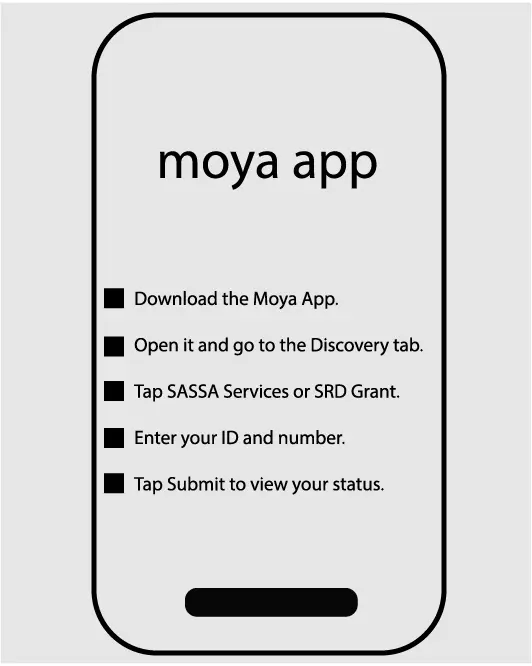
- First, download the official Moya App from Play Store or App Store if you don’t have.
- Open the app and then open the discovery tab within this app.
- Then click on SASSA Services or SRD Grant.
- Now enter your ID number and phone number, which must be the same as those provided in your application.
- Press the submit button and see the status.
Remember: this is an authorized app in South Africa to show status to beneficiaries after legal permission from SASSA.
Third-Party Mobile Website
Generally, this isn’t recommended, but it still works fine if you don’t have any other option.
- Open the Chrome browser on your phone or computer and search “SASSA application status”.
- Open any website from the top 10 results.
- Enter your phone number and ID number and press the check button to see your status.
Before using any third-party app or website for status, must read their privacy policy to be aware of what datat they’re collecting.
Visit the SASSA Office for an In-Person Status Check
This is a traditional method of checking the status people used in the age when there was no internet in South Africa; still, this works for elderly people facing tech barriers or people from remote areas.
- Simply find a local SASSA office in your area and visit during office hours.
- Reach out to the help desk and simply ask that you want to inquire about your status.
Office visits may require your detail documents like ID card and working phone number, keep these things with you when visitng any SASSA office branch.
Check SRD Status via SASSA Phone Call or Email
These methods of inquiring your status work well, but these may require an extra effort, or you may have to wait for the reply from the opposite side.
- Make a phone call on the official SASSA number (toll-free) and ask if you want to check your current application status.
- Write an email using the Gmail app available on your phone and write that you want to check your status, and also provide your registered ID number and Phone in the same email,l and wait for the reply.
If talking to a real human operator on call for any inquiry, your tone must be polite and professional in order to get your job done smoothly.
Understanding SASSA SRD Status Messages
When you enter your details in the social relief of distress status check tool, it will always result in messages. Here are some common messages so you can understand the message and take any prior action if needed or to simply collect your monthly payments.
What “Pending”, “Approved”, or “Declined” Really Mean
Pending: If you see this message on the screen after pressing the status check button, this simply means your application has been received and is under further review.
Action: You don’t have to take any action, sit back and wait patiently for further processings by SASSA on your application.
Approved: This means your application is successfully reviewed and approved for receiving grants, but if it also shows “No Payment,” it means your payment is under processing.
Action: You also don;t have to do anything in this case, but keep an eye on pay dates and check your banking details are correct, if not request an update.
Declined: SASSA has received your application, but it shows that you don’t meet the eligibility criteria.
Action: In this case, you can submit an appeal in the next 30-90 days to get a second chance for approval.
“Awaiting Identity Verification” or “Identity Verification Failed”
Awaiting Identity Verification: If SASSA is still in process for verifying your identity with DHA (Department of Home Affairs), you’ll see this message.
Action: No any action required, just wait for the verification checks from the side of SASSA.
Identity Verification Failed: If your identity document doesn’t match the document of DHA, then this message will appear.
Action: Find any mistakes in your identity document and correct it, if you don;t find any, contact DHA and ask about the situation.
“Period Approved” vs “Period Declined”
Period Approved: This message shows that your application has been successfully approved for the month mentioned on the screen.
Action: No any action needed from your side, wait for the assignment of payment date, once its processed your date will appear.
Period Declined: This means you are not eligible to receive payment for the specific period shown in the message screen.
Action: Check whether you’re complying with the eligibility criteria like not exceeding the monthly funds limit in your bank account.
Referred Status: What It Means and How to Fix It
Take this message seriously; it means that SASSA has officially flagged your application due to uncertain reasons like fraud detection or failure of identity verification.
Other Reasons For This:
- Identity matching to a fraud database like SAFPS.
- Matching bank account number or phone number with any other SASSA beneficiary or applicant.
- The linked profile is blacklisted or under review.
- The identity number has previously been compromised or used in any illegal activity.
Actions You Can Perform:
- Visit the official SASSA page for e-KYC through this link https://srd.sassa.gov.za/sc19/ekyc/status and go through the verification check.
- Shift to a new registered number, and also change the bank account, and update your application through the portal.
- Contact SASSA through the official number or email grantsenquiries@sassa.gov.za.
- File an appeal if it still shows referred or later shows a declined application.
Tip: keep checking your status on a regular basis to stay updated and always check regularly that you’re complying with SASSA policies.
SASSA R370 Payment Dates for 2026
For any SASSA beneficiary, it’s important to stay updated on monthly payment dates. These dates are not always the same for all grant types, so you have to check them at the start or end of the month.
Latest R370 Grant Payday
| Months | Old Age | Disability | Children |
| January | 03 | 06 | 07 |
| February | 04 | 05 | 06 |
| March | 04 | 05 | 06 |
| April | 04 | 05 | 06 |
| May | 03 | 04 | 07 |
| June | 02 | 05 | 06 |
| July | 04 | 05 | 06 |
| August | 02 | 03 | 04 |
| September | 05 | 06 | 07 |
| October | 03 | 04 | 05 |
| November | 02 | 03 | 06 |
| December | 01 | 04 | 05 |
Important: These pay dates are official, still they can vary dues to reasons like public holidays, official system delays, weekends, or any application verification or processing delay.
Why Payment Dates Vary by Individual
The SRD grant pay date is unlike other fixed-date grants; this means if you’re an SRD grant beneficiary, your payment will not reach your bank account on the pay dates of other grants. Here are reasons why:
- Monthly Reassessment: SASSA for SRD and for some other grant held a monthly assessment in which it checks the current eligibility of the applicant and compliance with the means test.
- Banking Details: It checks the banking details are correct, updates them, and also checks the threshold balance.
- High Volume of New Applicants: Due to a large number of new applicants, it sometimes delays the monthly processing and management.
- System Errors: If your application is still under review or referred, your payment will be on hold.
You’re advised to keep checking official resources on the internet related to SASSA to stay informed and updated bout any important news regarding pay dates.
SRD Grant Payment Not Received | What to Do Now?
Millions of beneficiaries face this common problem due to various reasons, so be patient, you’re not alone. Here are some common reasons and their fixes you can take to get your payments.
Payment Approved, But No Date
This doesn’t mean your application isn’t accepted; this means your application is approved, and you completely meet the eligibility requirements, only the payment disbursement is scheduled for later.
Possible Reasons:
- Your bank account verification check is under official processing.
- SASSA is still in the process of allocating payment date batches.
- If you have requested a change for bank account details or contact number, this can also be the major cause.
What To Do:
- Ensure your bank account is valid and that the details are 100% correct and updated.
- Wait for the month-end for the payment to reach your account.
Delayed Payment Due to Bank Verification
If you see this message, this is specific to the bank account. The following are the reasons related to this and how you can handle them.
- Make sure your bank account is your personal account only; if you have used someone else’s account, this can even stop your payment.
- Your bank account must be active and valid; any suspicious activity in your bank account can make your account inactive, which ultimately causes delayed payments.
- If you have requested changes in your bank details, then simply wait for the complete processing at the end of SASSA.
- Notice that your bank account details in your application must match the details of your bank account document issued after opening a bank account.
- If you have unintentionally entered any wrong bank details in your application, you can update your application in a few steps.
How Long Does SASSA Take to Pay After Approval?
If you have applied for this, then you just need approval, but applying for the grant does not guarantee approval. However, if it’s approved, the processing will take 5-15 days after the payment date appears.
How to Change SRD Grant Details
Keeping your SRD details updated is a highly important thing to keep receiving your payments on a monthly basis. If SASSA finds anything outdated about such details, which normally include your bank account details and contact details, it may cancel your ongoing application.
Update Bank Account Info
- Visit the website of SASSA and log in.
- Find the “Change my banking details” option within the portal and click on it.
- Enter your national ID number, which consists of 13 digits.
- You’ll receive an SMS only on the number registered in your application and in your name.
- Click on the link in SMS and choose your preferred payment option, which includes bank account and CashSend via mobile money services.
- Enter your bank details for your new bank account, and then click on the confirm button
Important: The new bank account you’re adding must be on your own name.Avoid using someone’s bank account or accounts from unverified banks or eWallets which are officially not supported by SASSA.
Change Phone Number or Email
Your contact details must be updated; this is as important as having updated bank account details to receive your payments safely and sound. Having an unregistered number in your name can cause failure to receive grant payments.
- To change your contact number or email, open the SASSA website.
- Search for “update your phone number” and click on it.
- Now, enter your valid ID number.
- You will receive a message on your currently registered number.
- If you have lost your number, change your phone number using the official process only.
- If you simply change the number from old to current, enter your new number, and press save changes.
In case of a change for email or phone number, these must be working, valid, and must be your personal so you don’t face a problem later.
Modify Personal Info (Name, ID, Address)
Your personal details in government-issued documents must be the same as in your SASSA application form. If they are the same, don’t try to make a change. If you have gone through any circumstances like divorce, marriage, or a surname change in your ID document, then you must use this option to keep receiving your payments.
- Visit your nearest DHA office to ask them to update your current personal details in their documents, like changing your surname, name, or ID number.
- After confirmation from the DHA office, you’re now eligible to make changes in your SASSA application.
Important: if you don’t first make change sin your documents in the records of DHA, it will not be changed in your SASSA account.
- Now visit SASSA’s portal page for eKYC verification and
- Your eKYC verification will automatically ensure that your personal details, as in your application match your DHA data
For Address Change:
- Log in to the portal and simply resubmit your application after changing your address in the application.
SRD Appeal & Reconsideration Process
If you’re a new applicant and have applied for an SRD grant that resulted in rejection or cancellation, you still have the chance to make an appeal over the official decision. The department’s Independent Tribunal for Social Assistance Appeals (ITSAA) is always there, working to thoroughly review appeals of rejected applicants.
To understand when and how to appeal is an important thing for you to learn before you take any further steps forward. Here are some guidelines.
When and Why to Appeal a Rejected Grant
If your application is cancelled or declined, SASSA will always give you the reason for happening of decline. The following are some common reasons for it, and when you should proceed with an appeal.
You Should Appeal If:
- You’re unemployed, and your application was declined due to crossing the monthly threshold, and there isn’t any serious reason for it, like you don’t have any income source, or someone else sends you money to the same bank account.
- You’re not receiving any other benefits from organizations like NSFAS, UIF, or any SASSA grant, and still, the system of SASSA has detected this. This can be due to system errors; you can go for an appeal.
- Your ID verification check git failed in official regular checks, but is now the same as in the documents for DHA, appeal.
- Any outdated data or details found in your application, update that, and appeal for a reapproval.
Steps to Lodge an Appeal via ITSAA
Use the following steps only if you’ve decided to go for an appeal with ITSAA; otherwise, use the normal SASSA portal for this purpose.
- Open the appeal portal page of SASSA using this link https://srd.sassa.gov.za/appeals/appeal.
- Enter your 13-digit national ID number and phone number (must be the same as on your application form).
- You’ll get an OTP on this number.
- Enter OTP to log in to the portal.
- Choose the current month in which you’re appealing
- Now state the reason for the appeal, which must justify why the official decision isn’t valid, and your appeal must be accepted and approved (in respectful words only).
- Submit Appeal.
Check Your Appeal Status Online
As you check your SASSA Srd Status, you only need your ID number and phone number to enter in the appeal status check tool. Follow the guidelines:
- Visit https://srd.sassa.gov.za/appeals/appeal.
- Enter ID and Phone number and press check.
- The appeal history and current status will be shown on the screen.
You’ll See:
- Appeal in progress.
- Appeals is approved (you’ll be paid for this month).
- Appeal Declined (You can reapply)
- Appeal Not Found (Appeal wasn’t submitted successfully, maybe due to internet issues)
Common Reasons For Appeal Decline
| means_income_source_identified | Monthly funds crossing the threshold R624 limit in your account. |
| uif_registered | Are you having any other approved SASSA grant |
| nsfas_registered | You may be taking benefits from NSFAS. |
| existing_sassa_grant | Your are having any other approved SASSA grant |
| self_exclusionary_response_found | Currently using any government facility and currently receiving an R370 |
How to Check Your SASSA Grant Balance
Once your grant application is approved, you’re set to check your balance regularly to keep an eye on your funds. Fortunately, SASSA has provided us with various ways to check our balance, as I listed below:
USSD Codes to Check R370 Balance
One of the easiest and quickest ways to talk on your balance is simply dial the USSD.
Method1:
- Use your registered SIM in your phone and dial *120*69277#.
- Provide your ID number and, optionally, your phone number if it is required.
- Your balance will be shown on your phone screen.
Method2:
- Dial *120*3210# (this is different from the above)
- Select the “Balance Check” option
- Provide your registered ID number
- Now wait for the message showing your balance
Choose only one method, you don;t have to follow both these methods for one purpose.
Using Mobile Banking for Balance Inquiry
You can only use this option to check on your balance if you’ve selected a bank account as your payment method while applying. You can only check your balance through the banking app provided by the bank.
- Open your banking app and enter your password and username to log in.
- Your balance will be shown at the top of the screen.
Balance Check via ATM or Post Office
To check using this method, you don’t have to follow anything special.
- Visit the bank’s ATM, preferably of the bank you selected in your application.
- Insert your SASSA Card or your bank’s private card if you don’t have a SASSA’s.
- Enter your PIN and see the balance.
Important: If you use this method in any other ATM than the bank you selected, the other banks may charge you for balance checks and even for withdrawals.
Through Postbank:
- Visit the Postbank branch in your area with your ID document.
- Ask the clerk on duty at the Postbank to check and tell you your balance.
- They will check in their system and tell you your current balance. You can either withdraw.
No Need to Reapply Every 3 Months: Here’s Why
This is going to be a big good news for you if you’re tired of reapplying for the grant after every 3 months, yes, not applicants don’t have to process for reapplication every three months. From April 2024, SASSA has made this clear in their statements that beneficiaries no longer need to have a manual reapplication after regular intervals.
This is only possible due to SASSA’s advancements in their systems, as they have adopted automated re-assessments or verification systems.
SASSA will run monthly re-checks to identify the eligibility of beneficiaries; you only have to be aware of whether you’re meeting the eligibility criteria.
How to Ensure You Stay Eligible Each Month
- Keep checking your status and promptly take action without panicking if you notice any unusual happenings.
- Regular account balance checks will give you an idea of how to stay below the threshold balance limit.
- Your residential address, bank details, and contact details must be valid and updated in your application same as registered.
What is SASSA eKYC (Fix Identity or Fraud Issues)
Back in the days, this was not even required by SASSA, but now for everyone it has been made mandatory eKYC (Electronic Know Your Customer), which gives a more detailed opportunity check to SASSA to verify a person.
In case you see a message upon checking your status that says, “verification failed,” “Referred,” or “ Linked Risk Mobile,” it means you need to verify your identity eKYC.
If this is the case, you don’t need to worry about this; it’s simple, and you can verify your identity through this newly introduced term very easily.
While this modern verification, capture your fresh image from phone;s front camera avoding makeup on face or using filters.
Complete the eKYC Process Online
- Visit the eKYC page on the official portal of SASSA.
- Enter your ID and Cell Phone number (both must be valid in your name).
- After entering these details, you’ll receive an SMS OTP on this number after tapping on “Send PIN”.
- Use the same phone’s camera to take your selfies (full face).
- Now upload the photo of your ID card (take a photo from your phone or use your phone’s scanner).
- Now press the confirm details button.
- The verification by SASSA for eKYC may take a few days. Wait patiently for verification confirmation, and for this, you’ll be notified.
Important: If you see no response for long time, contact SASSA or visit your nearest official SASSA office branch.
KYC Status Check
This might be a new thing for you, but you can check your eKYC status online in a few simple and easy steps to check whether your eKYC is successfully processed.
How To Download Status App
Downloading our status checker app is super easy and straightforward, simply follow the given steps.
- You can see a floating red button on your screen.
- Press the red button and the app download will start into your device.
- If it’s asking about choosing the app name, name it as “SASSA Status,” and it will be start downloading after name selection.
- After complete download, the app will appear in your phone’s or computer’s homescreen, depending on the device type you’re using.
- The app will not take any extra storage space in your device like other regular smartphone apps.
Note: Our app is highly compatible with all types of devices including IOS, Android, and Windows, so it should be fully functional after download, if there is any problem just inform us on our official email.
FAQs
Can I receive SRD and another SASSA grant?
No, SASSA’s policy is clear that no one can receive double grants from SASSA, even if a person can’t receive other benefits from any other organization in the country while having a SASSA grant.
What happens if I change my phone or bank?
It will take some time to process by SASSA. In the meantime, if your payment date sis arrived, it may be scheduled for the next pay date.
Is there a way to fast-track my payment?
No, you can receive your payments only on the official dates.
Can asylum seekers and permit holders apply?
Yes, by providing the documented proof of a special permit holder or an asylum seeker, one can apply for a grant.
Is the R370 grant ending in 2026?
No, it isn’t yet made clear through the official statement of SASSA.